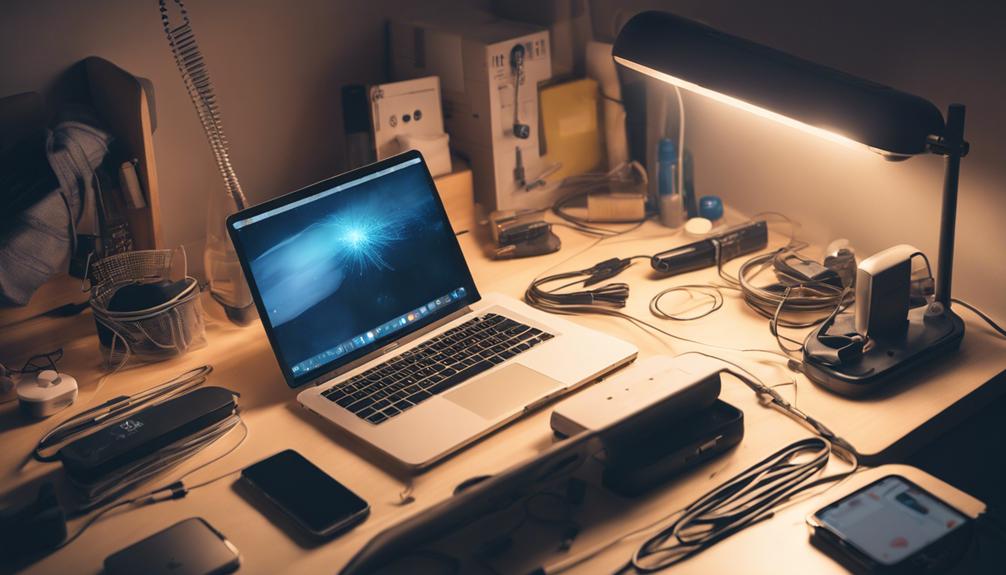
You invest a lot in your gadgets, so take a few minutes each week to maintain them. Set a routine to inspect and clean your devices, focusing on ports, vents, screens, and charging cables. Stay on top of software updates to prevent security breaches and performance issues. Manage your storage space by deleting unnecessary files and apps, and transfer large files to external storage or the cloud. Protect your gadget from malware by keeping your operating system and antivirus software up to date. By following these tips, you'll keep your gadgets running smoothly – and discover even more ways to maximize their performance as you go.
Set Up a Maintenance Routine
Set a specific day and time each week to inspect and clean your gadgets, ensuring they continue to function at their best. This routine maintenance will help prevent dust and dirt from building up, which can slow down your devices or even cause them to overheat. By dedicating a specific time slot each week, you'll stay on top of any potential issues before they become major problems.
When you inspect your gadgets, take a closer look at the ports, vents, and screens. Use a soft cloth and gentle cleaning products to wipe away any dirt, dust, or grime that's accumulated. For more stubborn stains or scratches, you can use specialized cleaning solutions or screen protectors. Don't forget to clean your charging cables and adapters, as corrosion and damage can prevent them from functioning properly.
Keep Your Software Up-to-Date
You'll want to regularly check for software updates, as outdated operating systems and apps can leave your gadgets vulnerable to security breaches and performance issues. It's essential to stay on top of these updates to make certain your devices are protected and running smoothly. Set reminders or enable automatic updates to make it a habit.
When checking for updates, prioritize your operating system and security software, as these are the most critical for safeguarding your device. Next, update your apps, especially those that handle sensitive information, like banking or email apps. Be cautious when updating apps, as some may change their terms of service or introduce new features that you might not want.
To make the process easier, consider using a single dashboard to manage all your devices and apps. This can help you stay organized and make sure you don't miss any critical updates. Additionally, take this opportunity to review your app permissions and revoke access to any apps that no longer need it. By staying on top of software updates, you'll reduce the risk of security breaches and keep your gadgets running at their best.
Manage Your Storage Space
Your gadgets' storage space is constantly being filled with files, photos, and apps, making it important to manage it regularly to prevent clutter and performance issues. As you continue to use your gadgets, it's easy to accumulate a vast amount of data, which can slow down your device's performance. To avoid this, you should regularly clean up your storage space by deleting unnecessary files, apps, and data.
Start by reviewing your files and deleting any duplicates or unnecessary documents. You can also consider transferring large files to an external hard drive or cloud storage to free up space. Additionally, take a closer look at your apps – are there any you no longer use? Uninstalling unused apps can help declutter your device and free up storage space.
Organizing your files and apps is also important in managing your storage space. Create folders and categorize your files to make it easier to find what you need. This will also help you identify which files you can delete or transfer to external storage. By regularly managing your storage space, you'll be able to maintain your gadget's performance and maintain it continues to run smoothly.
Protect Your Gadget From Malware
As you maintain your gadget's storage space, don't forget that it's equally important to safeguard it from malware, which can compromise your personal data and slow down your device even further. Malware can be particularly insidious, sneaking onto your device through seemingly harmless downloads or infected emails. Don't let malware ruin your digital life – take proactive steps to protect yourself!
Here are some essential tips to keep malware at bay:
- Keep your operating system and antivirus software up to date: Regular updates often include security patches that help fix vulnerabilities and strengthen your defenses against malware.
- Be cautious when downloading apps and files: Only download from trusted sources, and read user reviews and ratings to make sure you're getting a clean download.
- Use strong passwords and two-factor authentication: Make it tough for hackers to crack your passwords, and add an extra layer of security with two-factor authentication.
Clean Your Gadget Inside Out
Dust, dirt, and other debris can quickly accumulate inside your gadget, causing overheating, slow performance, and even premature wear and tear, so it's essential to clean it inside out regularly. You might not realize it, but all those crumbs, dust bunnies, and forgotten particles can wreak havoc on your device's performance. To avoid this, make it a habit to clean your gadget's vents, crevices, and ports regularly.
Start by shutting down your device and unplugging it from any power sources. Use compressed air to gently blow out any loose debris from the vents and crevices. For tougher messes, you can use a soft-bristled brush or a can of compressed air with a thin nozzle to reach those hard-to-reach areas. Be cautious not to push too hard, as you don't want to push the debris further into your gadget.
Next, use a microfiber cloth and a gentle cleaning solution to wipe down the exterior and any removable parts. Avoid using harsh chemicals or liquids, as they can damage your device's sensitive components. By taking these simple steps, you'll be able to keep your gadget running smoothly, efficiently, and at its best. Remember, a clean gadget is a happy gadget!
Frequently Asked Questions
How Often Should I Back up My Gadget's Data?
You're wise to wonder how often to back up your gadget's data! The answer is simple: do it regularly, ideally every 1-2 weeks, or whenever you've added a bunch of new files or updates. You don't want to risk losing precious memories or important documents. Set reminders or automate backups to guarantee your data is safe and secure. You'll breathe easier knowing your files are protected!
Can I Use Any Cleaning Product on My Gadget's Screen?
When it comes to cleaning your gadget's screen, you're wise to be cautious. You shouldn't use just any cleaning product, as some can damage the screen's coating or harm the device. Instead, opt for a microfiber cloth and a gentle screen cleaner specifically designed for electronics. Avoid harsh chemicals or household cleaners, as they can leave streaks or scratches. By being gentle, you'll keep your screen looking its best.
Do I Need to Update My Gadget's Operating System Immediately?
You're probably wondering if you need to update your gadget's operating system ASAP. The answer is, it depends. If the update is security-related, it's essential you install it right away to protect your device from potential threats. However, if it's a feature update, you can take your time. Check the release notes to determine the level of urgency.
What Happens if I Ignore a Software Update Notification?
You're stuck in a dark alley, and your gadget's software update notification is the only streetlight guiding you to safety. If you ignore it, you'll be vulnerable to cyber threats, like a lost traveler in a stormy night. Hackers will swoop in, exploiting weaknesses, and stealing your personal data. Don't let your gadget become a welcoming mat for cybercriminals. Update now, and you'll be shielded from harm, safe and sound in the digital world.
Can I Repair My Gadget Myself or Should I Hire a Pro?
You’re wondering if you should take matters into your own hands and fix your gadget yourself or leave it to a pro. Honestly, it depends on your comfort level with DIY repair and the gadget’s complexity. If you’re handy and the issue is minor, go for it! But if you’re unsure or dealing with a pricey device, it’s better to hire a professional to avoid causing more harm. Additionally, some smart kitchen gadgets have intricate components that require specialized tools and knowledge to repair properly. Attempting a DIY fix without the right expertise could void warranties or lead to further damage. When in doubt, consulting a professional can save you time, money, and frustration in the long run.