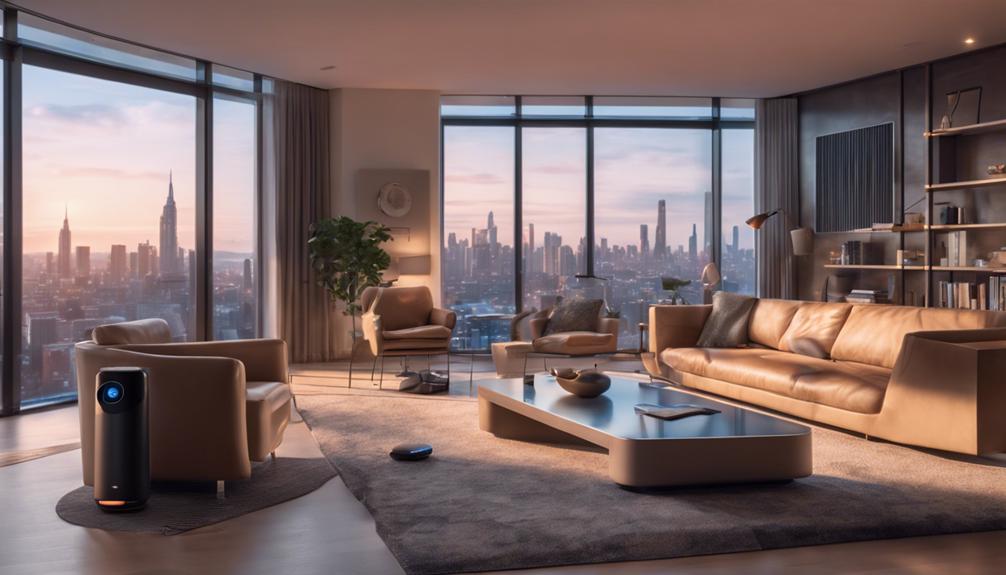
You're about to unleash the full potential of your home by embracing the simplicity and convenience of home automation, where your living space adapts to your needs, routines, and preferences. With automation, you'll enjoy remote control and monitoring, energy efficiency, and enhanced comfort. You'll discover how smart devices learn your habits and adapt to your needs. As you explore the world of home automation, you'll uncover the secrets to seamless integration, remote control, and customized experiences. And, as you move forward, you'll find that the possibilities are endless, and your home will become a true reflection of your lifestyle.
Understanding Home Automation Basics
Get ready to explore the fundamentals of home automation, a technology that allows you to control and monitor various aspects of your home remotely, and transform your living space into a futuristic haven. As you begin this journey, you'll uncover how home automation can enhance your daily life, making it more convenient, comfortable, and energy-efficient.
At its core, home automation is about integrating various devices and systems to create a seamless experience. You'll be able to control lighting, temperature, security, and entertainment systems with ease, using a single interface or even just your voice. Imagine coming home to a warm and cozy living room, where the lights dim and the thermostat adjusts to your preferred settings, all without lifting a finger.
Home automation also allows you to stay connected to your home, no matter where you are. Receive notifications when someone rings the doorbell, or check in on your pets remotely. You'll have peace of mind knowing that your home is secure and under your control. With home automation, you'll be part of a community that values innovation, convenience, and sustainability. So, let's dive deeper into the world of home automation and explore the endless possibilities it has to offer.
Smart Devices 101
You're about to discover the building blocks of home automation: smart devices, which can transform ordinary objects into intelligent, connected, and responsive companions that make your life easier and more enjoyable. These devices can learn your habits, adapt to your needs, and even anticipate your desires. But what exactly makes a device "smart"?
| Device Type | Smart Feature |
|---|---|
| Thermostat | Learns your temperature preferences and adjusts accordingly |
| Lighting | Adjusts brightness and color based on time of day and ambient light |
| Speaker | Responds to voice commands and integrates with other smart devices |
| Security Camera | Sends motion alerts and records footage to the cloud |
As you can see, smart devices come in various forms, each with its unique features and capabilities. They can be controlled remotely, scheduled to perform tasks, and even interact with each other to create a seamless experience. With smart devices, you can create a personalized ecosystem that revolves around your lifestyle and preferences. Imagine coming home to a warm and welcoming environment, where the lights are dimmed, the temperature is just right, and your favorite music is playing softly in the background. That's the power of smart devices, and it's just the beginning of your home automation journey.
Choosing the Right Hub
When selecting a hub for your smart home, you'll want to think about a few key factors to guarantee seamless integration with your devices. You'll need to ponder compatibility with your existing devices, the smart home ecosystem you're invested in, and the range of integration options available. By weighing these factors, you'll be able to choose a hub that's tailored to your unique needs and sets your smart home up for success.
Hub Compatibility Factors
Your smart home system's success hinges on choosing a hub that seamlessly integrates with your devices, so consider the following compatibility factors to guarantee a harmonious connection.
When selecting a hub, you'll want to make sure it's compatible with your existing devices and those you plan to add in the future. Check the hub's compatibility with popular smart home protocols like Zigbee, Z-Wave, and Bluetooth. Consider the types of devices you want to connect, such as smart lights, thermostats, or security cameras. Verify that the hub supports these devices and can handle multiple devices at once.
Another essential factor is the hub's compatibility with your router and internet connection. Confirm that the hub can connect to your router via Wi-Fi or Ethernet and can handle the bandwidth required for seamless communication. Lastly, consider the hub's compatibility with popular voice assistants like Alexa or Google Assistant if you plan to use voice commands to control your smart home. By considering these compatibility factors, you'll be well on your way to creating a cohesive and efficient smart home system that meets your needs.
Smart Home Ecosystems
With hub compatibility factors in mind, it's time to explore the various smart home ecosystems available, each offering a unique approach to integrating your devices into a seamless whole. You're not limited to a single brand or platform, but rather, you get to choose the ecosystem that best fits your needs.
Take, for instance, Samsung's SmartThings, a popular choice among smart home enthusiasts. It offers a wide range of compatible devices and a user-friendly interface. Apple's HomeKit, on the other hand, prioritizes security and ease of use, making it a great option for those already invested in the Apple ecosystem. Then there's Amazon's Alexa, which seamlessly integrates with its Echo devices and offers a vast library of skills.
When choosing an ecosystem, consider the devices you already own, as well as those you plan to add in the future. Make sure the ecosystem you select supports your devices and offers the features you need. By doing so, you'll create a cohesive smart home experience that's tailored to your lifestyle.
Device Integration Options
Selecting the right hub is crucial, as it serves as the central nervous system of your smart home, connecting and controlling all your devices seamlessly. This central unit guarantees that you can access and manage your smart devices from a single platform, making it easy to customize your smart home experience.
You'll find various hub options available, each with its unique features and compatibility. Popular choices include Samsung's SmartThings, Wink Hub, and Philips Hue Bridge. Consider factors like device compatibility, automation capabilities, and voice assistant integration when choosing the right hub for you. For instance, if you're invested in the Amazon ecosystem, you might prefer an Alexa-enabled hub.
When researching hubs, think about the devices you already own or plan to purchase. Make sure the hub you choose supports those devices, and consider any additional features you might need, such as remote access or geofencing. By selecting the right hub, you'll create a cohesive smart home system that makes your life easier and more convenient.
Automating Lighting and Temperature
You can greatly enhance your home's ambiance and energy efficiency by automating lighting and temperature controls. With smart lighting, you can create the perfect atmosphere for any occasion. Imagine walking into a warm and cozy living room, with the lights dimmed to your preferred level, or having your outdoor lights turn on automatically when the sun sets. It's not just about aesthetics; smart lighting can also help you save energy by automatically turning off lights when you leave a room or when natural light is sufficient.
When it comes to temperature control, automation can be a game-changer. You can set your thermostat to learn your schedule and preferences, so your home is always at the perfect temperature when you need it to be. Imagine coming home to a cozy warm living room on a cold winter day, or having your AC kick in on a hot summer afternoon. Smart thermostats can also detect when you're not home and adjust the temperature accordingly, saving you energy and money.
Controlling Your Home Remotely
By integrating remote access into your home automation system, you can now control and monitor your home's lighting and temperature from anywhere, at any time. This means you can adjust the ambiance of your living room or turn off the lights in your bedroom from the comfort of your office or a coffee shop. You can even check in on your home while you're on vacation, giving you peace of mind and a sense of control.
Remote access is especially useful when you're away from home for an extended period. You can turn on lights or adjust the thermostat to make it look like someone's home, which can deter potential burglars. You can also receive notifications if something unusual happens, such as a sudden drop in temperature or a power outage.
To control your home remotely, you'll need a hub or bridge that connects to your router and communicates with your devices. You'll also need a mobile app that allows you to access and control your devices from anywhere. Many home automation systems come with their own apps, or you can use a third-party app that integrates with multiple devices.
Remember to choose a system that encrypts your data and has robust security measures in place to protect your home and personal information. With remote access, you can enjoy the convenience and flexibility of home automation, no matter where you are in the world.
Voice Assistants and Integration
One of the most exciting aspects of home automation is the ability to control your devices with just your voice, thanks to the integration of voice assistants like Alexa or Google Assistant. This technology has revolutionized the way you interact with your smart home, making it feel more intuitive and effortless.
With voice assistants, you can turn on lights, adjust the thermostat, and even lock doors without lifting a finger. But that's not all – you can also use voice commands to control multiple devices at once, creating a seamless and convenient experience.
Here are some benefits of integrating voice assistants into your smart home:
- Hands-free control: You can multitask while controlling your devices, making it perfect for busy households.
- Convenience: You can control devices from anywhere in the room, without having to physically interact with them.
- Customization: You can create custom voice commands to suit your specific needs and preferences.
- Compatibility: Most voice assistants are compatible with a wide range of devices, making it easy to integrate them into your existing smart home setup.
Setting Up Smart Home Routines
As you start setting up your smart home routines, you'll want to think about how you can tailor them to fit your daily schedule and needs. You'll explore routines that can help make your busy days easier, from automating morning and bedtime routines to creating custom scenarios that cater to your lifestyle. By customizing your smart home routines, you'll be able to create a seamless and efficient living space that adapts to your unique needs.
Routines for Busy Days
Set up smart home routines to tackle busy days head-on, and you'll be amazed at how seamlessly your smart devices can adapt to your hectic schedule. With a few simple setups, you can create a smart home that adjusts to your daily rhythms, freeing up time and energy for the things that matter most.
Here are some ideas to get you started:
- *Wake-up routine*: Set your lights to gradually brighten, simulating a sunrise, and have your favorite morning tunes playing as you rise and shine.
- *Morning rush*: Automatically turn on lights, TVs, and other devices as you get ready for the day, so everything is ready to go when you are.
- *Commuter's delight*: With geofencing, your smart home can detect when you're leaving for work and adjust the thermostat, lights, and security systems accordingly.
- *Wind-down mode*: As the day unwinds, your smart home can gradually dim lights, adjust the temperature, and even brew a fresh cup of coffee to help you relax.
Smart Home Automation Ideas
You've got a solid foundation of routines in place, now it's time to explore more smart home automation ideas and customize your setup to fit your unique lifestyle. Think about how you can use smart home devices to create a more comfortable and convenient living space. For instance, you can set up a "Goodnight" routine that locks doors, turns off lights, and adjusts the thermostat with just one command. Or, create a "Movie Night" scene that dims the lights, closes the curtains, and sets the perfect temperature for a cozy night in. You can even use smart home automation to enhance your daily routines, such as having your coffee maker start brewing as soon as you wake up or turning on your favorite playlist when you enter a room. The possibilities are endless, and it's up to you to get creative and tailor your smart home setup to fit your needs and preferences.
Customizing for Your Needs
By tailoring your smart home routines to your daily habits and preferences, you can create a seamless and comfortable living experience that caters to your unique needs. This is where customization comes in – it's all about making your smart home work for you, not the other way around.
To get started, consider the following:
- Morning Routine: Set your lights to gradually brighten, your coffee maker to brew, and your favorite tunes to play as you wake up.
- Leaving Home: With a single command, lock your doors, turn off lights, and adjust your thermostat to save energy.
- Movie Night: Dim the lights, adjust the thermostat, and turn on your TV with a single tap.
- Goodnight: Lock your doors, turn off lights, and adjust your thermostat for a cozy night's sleep.
Troubleshooting Common Issues
When your smart home system freezes or becomes unresponsive, identify the source of the issue by checking the power supply, network connectivity, and device compatibility. These three areas are usually the culprits behind a malfunctioning system. Make sure all devices are plugged in correctly, and that there aren't any power outages or electrical issues. Next, check your network connectivity by restarting your router and modem. This simple step often resolves connectivity issues.
If the problem persists, it's time to investigate device compatibility. Confirm that all devices are updated with the latest software and firmware. Sometimes, a simple update can resolve the issue. It's also crucial to verify the device's compatibility with your smart home system. If you've recently added a new device, try removing it and see if the system returns to normal.
Another common issue is voice command misinterpretation. If your voice assistant is having trouble understanding you, try recalibrating the device or relocating it to a quieter area. You can also try resetting the device or checking for software updates.
Frequently Asked Questions
Can I Control My Smart Home Devices When I'm Not at Home?
You're wondering if you can control your smart home devices remotely. The answer is yes, you can! With most smart devices, you can use mobile apps to adjust settings, turn lights on/off, or even check security cameras from anywhere. This means you can keep an eye on your home, receive notifications, and make adjustments even when you're not physically there. It's like being at home, even when you're not.
Do I Need a Professional to Install My Smart Home System?
You’re not a DIY novice, and you’re wondering if you need a pro to install your smart home system. Think of it like cooking a gourmet meal – you can follow a recipe, but a chef’s expertise takes it to the next level. If you’re comfortable with tech and have a simple setup, go for it! But if you’ve got a complex system or need customization, consider hiring a pro to guarantee a seamless, stress-free experience. A professional can help integrate all your devices smoothly, ensuring they work together without glitches. They can also recommend affordable tech upgrades that enhance your system’s performance without breaking the bank. Investing in expert installation now can save you time and frustration down the road.
How Secure Are Smart Home Devices From Hackers?
You're right to wonder, 'Are my smart home devices vulnerable to hackers?' The truth is, they can be. Hackers can exploit weaknesses in device software or default passwords, giving them access to your personal info and even your home. But don't panic! You can take control. Change those default passwords, keep your devices' software up-to-date, and use two-factor authentication. By taking these simple steps, you'll greatly reduce the risk of a breach and keep your smart home safe and secure.
Can I Use My Smart Home Devices With a Virtual Private Network (Vpn)?
You're wondering if you can use your smart home devices with a virtual private network (VPN). The answer is, it depends on the device. Some devices, like smart thermostats, might not work with a VPN, while others, like security cameras, might be compatible. You'll need to check your device's settings to see if it allows VPN connections. If it does, you can enjoy an extra layer of security and privacy for your smart home ecosystem.
Are Smart Home Devices Compatible With Older Homes?
You're wondering if your older home can handle smart devices. The good news is, yes, they can! Most smart devices are designed to work with existing infrastructure, so you don't need a brand-new home to get smart. You'll just need to ensure your devices are compatible with your home's electrical setup. With some minor adjustments, you can bring your older home into the 21st century with smart home devices.